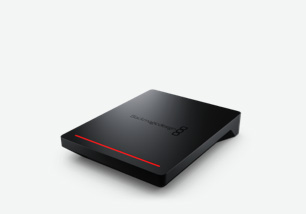
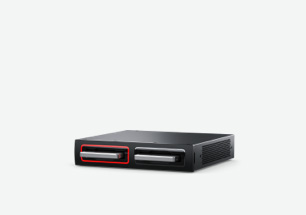
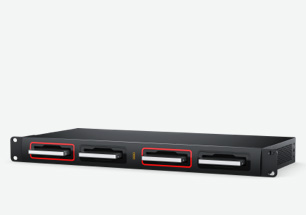
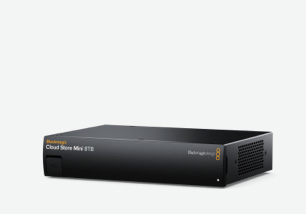
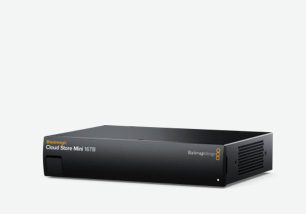
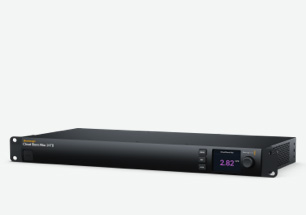
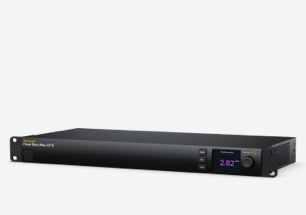
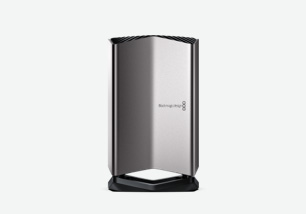
Blackmagic Cloud Store Mini
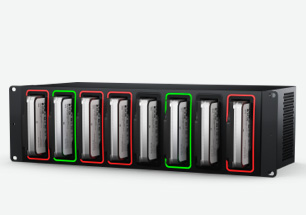
Compact rack mount network storage, features 8 and 16 TB models, 4 card RAID 0 flash memory core, 10G Ethernet, 1G Ethernet, USB-C and Blackmagic Cloud sync for distributing files globally.

Blackmagic Cloud Store are incredibly high performance rack mount network storage designed for the film and television industry! They are specifically designed for HyperDeck recorders, allowing you to edit while recording is in progress. Plus they understand Blackmagic Cloud media sync and support DaVinci Resolve proxy files. This means the camera media will sync within seconds when a remote film crew starts shooting, allowing the post production team to begin working immediately. A fast flash-based memory core allows many users to work simultaneously. Perfect for sharing large media files between editors, colorists, audio engineers, and VFX artists! There's also a status monitor output!
Find Reseller
Blackmagic Cloud Store is the perfect storage solution for film and television. It's designed to handle the large media files used in film and television where multiple editors, colorists, audio engineers and VFX artists all work on the media at the same time. It even handles massive 12K Blackmagic RAW digital film files! Each user gets zero latency and they don't need to store files on their local computer. That's perfect for DaVinci Resolve! Plus Blackmagic Cloud allows media to be synchronized to different locations globally, so each location gets the fastest editing experience possible. It's also perfect for live replay with DaVinci Resolve!
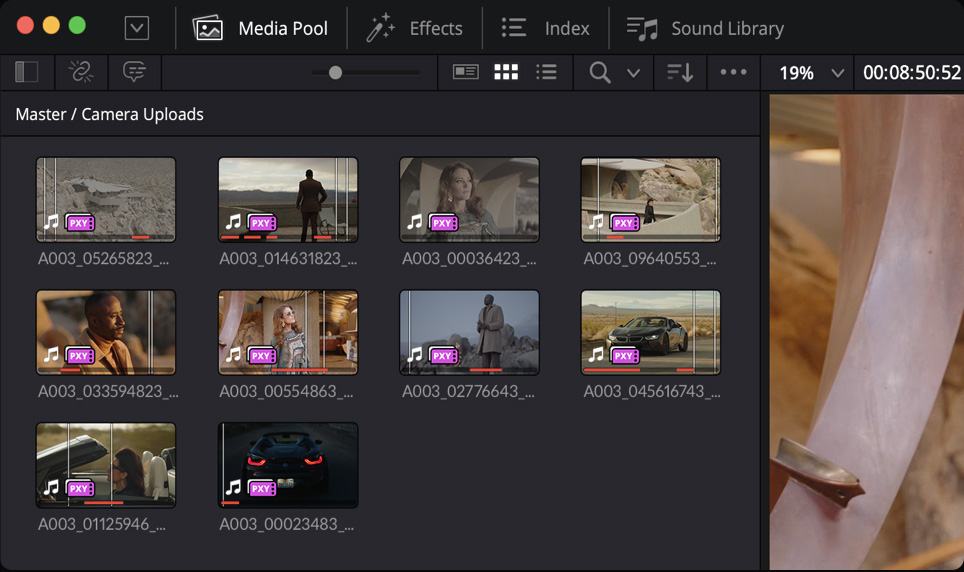
Perfect for post production, you get the speed to handle massive digital film files and lots of simultaneous users. Plus Blackmagic Cloud sync downloads proxy files in seconds, followed by camera RAW files. Even from remote cameras on set!
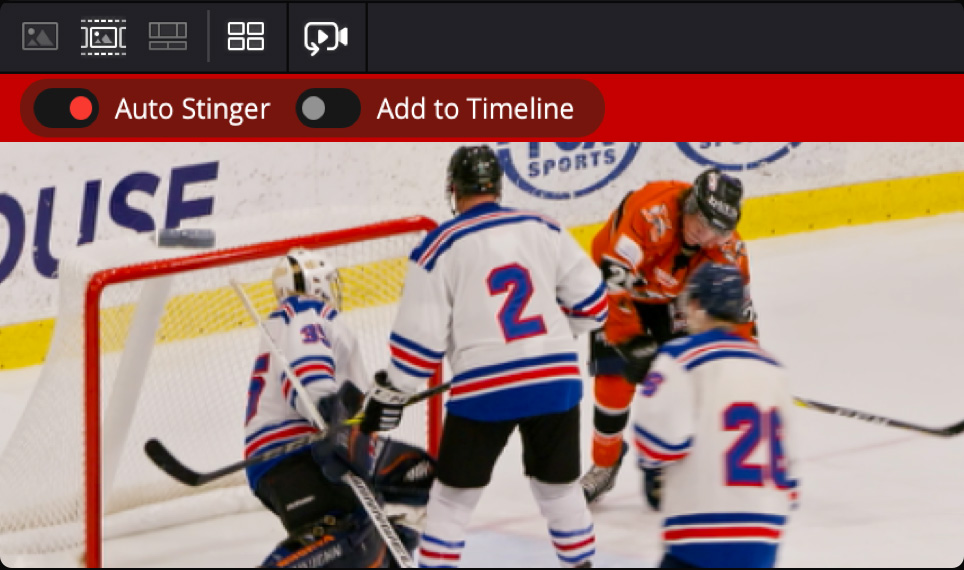
Build live replay systems using HyperDeck ISO Recorders capturing direct to Blackmagic Cloud Store Ultra, while DaVinci Resolve powers the playback. DaVinci Resolve has powerful replay features that allow you to upload replays as social media posts!
Blackmagic Cameras can upload to the Blackmagic Cloud website as they shoot. This means you get clips delivered right into the DaVinci Resolve bin! Blackmagic Cloud Store constantly syncs media so everyone on the network can access the latest shots.


Front
Back
Compact rack mount network storage, features 8 and 16 TB models, 4 card RAID 0 flash memory core, 10G Ethernet, 1G Ethernet, USB-C and Blackmagic Cloud sync for distributing files globally.
High performance network storage, with 24 and 48 TB models, 12 card RAID 0 flash memory core, 4 x 10G Ethernet, 100G Ethernet, USB-C and Blackmagic Cloud sync for distributing files globally.
Extremely high-performance network storage is perfect for HyperDeck Extreme ISO. Get a 12-card RAID 0 flash memory core, 2x 100G Ethernet ports, RAID 5 support and Blackmagic Cloud global media sync.

All models of Blackmagic Cloud Store use incredibly fast M.2 flash memory cards. M.2 flash memory cards generate significant heat, which can drastically reduce their data transfer speeds without proper cooling. Without cooling, the M.2 cards will also wear out over time. Blackmagic Cloud Store Mini and Max have side-to-side cooling for use on the desktop or in a rack. The Blackmagic Cloud Store Ultra model features server style front-to-rear cooling with 6 fans for redundancy and quiet operation. This linear airflow path evenly distributes heat across internal flash memory components, preventing hot spots and thermal throttling of M.2 cards. Plus, this model has 2 redundant power supplies!

An IEC power socket is included for connecting AC power. All international AC voltages are supported so you can use it globally. There is a separate DC power input for redundancy or battery use.
The 10G Ethernet port allows high speed computers to be connected. It's fast, even when lots of users are connected at the same time. It’s perfect for connecting to the latest 10G Ethernet switches.
The 1G Ethernet connection is provided for slower connections such as the internet or slower computers. It is part of the built in Ethernet switch and helps keep the faster 10G port free.
The USB-C port supports Ethernet for connecting to your computer to access files. That’s possible because there is a USB-C to Ethernet adapter built in! USB-C is also used for settings and updates.
The HDMI monitor output lets you see the status of your Cloud Store Mini in real time. Simply plug in a TV or monitor. You can see a storage map, speed graphs, sync, active users and power status!

The USB-C port supports Ethernet so you can walk up and connect a computer to access files. You can connect to USB on the front of the Cloud Store. USB-C can also be used for settings!
An IEC power socket is included for connecting AC power. All international AC voltages are supported for global use. Plus there is a separate broadcast XLR 12V DC power input for redundancy.
The 100G Ethernet port lets you expand access by connecting to high speed Ethernet switches. The flexible QSFP socket lets you connect via copper cables or longer optical fiber cables.
The 4 x 10G Ethernet ports allow high speed computers to be connected. That means you can connect directly to 4 separate edit workstations. It’s extremely fast, even with lots of users connected!
On the Blackmagic Cloud Store Max the extra SDI monitoring output has the same display as the HDMI output. This lets you use SDI monitors such as SmartView 4K in broadcast trucks or portable racks.
The HDMI monitor output lets you see the status of your Cloud Store in real time. It works with a simple TV or monitor. You can see a storage map, speed graphs, sync, active users and power status!

This model has full redundant internal power supplies, in addition to its upgraded thermal design. This makes it perfect for data centers, as each power supply can connect to its own power rail.
The two 100G Ethernet ports can be connected to HyperDeck ISO Recorders or high speed Ethernet switches. Both 100G Ethernet ports work as completely separate networks for isolation and redundancy!
On the Blackmagic Cloud Store Ultra the extra SDI monitoring output has the same display as the HDMI output. This lets you use SDI monitors such as SmartView 4K in broadcast trucks or portable racks.
The HDMI monitor output lets you see the status of your Cloud Store in real time. It works with a simple TV or monitor. You can see a storage map, speed graphs, sync, active users and power status!

Blackmagic Cloud Store models feature fast parallel flash memory cores with lots of space for media. That’s fantastic for film and television production when you need high performance and large capacity. M.2 flash memory cards are used for extreme reliability, high access speeds and zero seek times. The Mini model has 4 x M.2 cards, while the Max and Ultra models use 12 x M.2 cards in a massive parallel RAID 0 group for extreme performance. That ensures enough speed to keep up with dozens of users. Plus the Ultra model can be reformatted to use RAID 5 if needed! This massive parallel memory core can handle large banks of HyperDeck recorders and dozens of editing workstations simultaneously.

With very high speed 10G and 100G Ethernet connections, Blackmagic Cloud Store is very fast. The internal memory core has been designed to saturate the Ethernet ports to their theoretical maximum speed, even with multiple users connected. It’s so fast that most computers can’t keep up! File access is very low latency, so responsiveness is fast. That’s possible because of the parallel processing used by the memory core. At maximum speed, the Blackmagic Cloud Store is extremely quiet with very little cooling fan noise, even when editing large 17K digital film RAW files. It’s so fast, multicam editing is very smooth, even with dozens of connected editing workstations.

The Blackmagic Cloud Store Ultra model supports RAID 5 reformatting, ensuring data protection through redundant M.2 card operation. Although the flash memory is extremely reliable, reformatting to RAID 5 adds extra protection! By default, Blackmagic Cloud Store Ultra will use RAID 0 for maximum storage capacity. However, by reformatting to RAID 5, every sixth M.2 card is used for parity, sacrificing some storage space for increased redundancy. The parity cards store error correction data to rebuild files after replacing an M.2 card. Plus all Blackmagic Cloud Store memory models automatically wear level, preventing excessive data writes to the same cells and ensuring longer life.

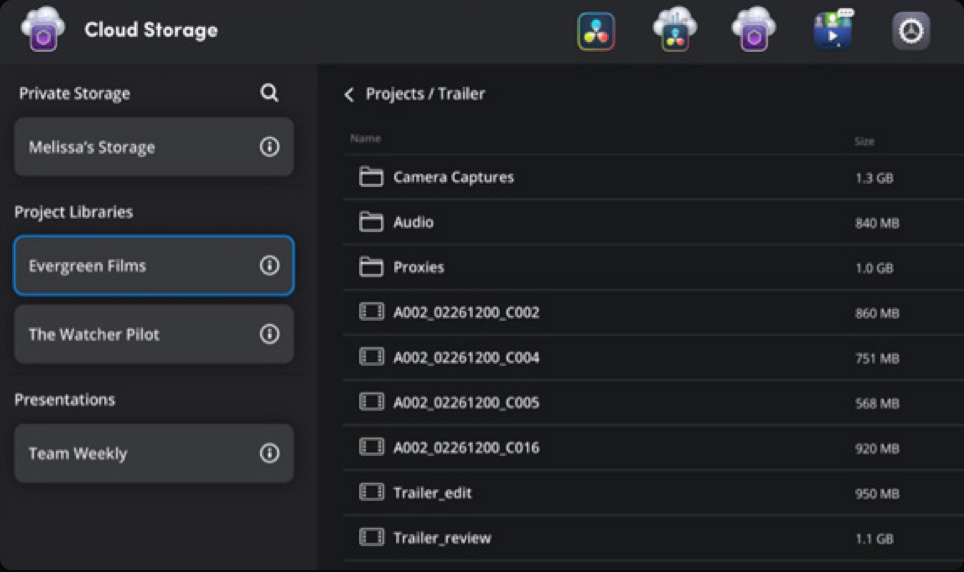
Now creative teams can share a single local cache of media uploaded to the Blackmagic Cloud for a true global workflow! This makes working faster because files are distributed globally to as many sites as you need! Blackmagic Cloud Store will constantly work to stay in sync. You also save space on editing workstations because the files are downloaded to the Blackmagic Cloud Store so everyone on your network can access them. If you’re working with remote cameras, such as URSA Broadcast, URSA Cine or the Blackmagic Camera iPhone app, then these files will upload to Blackmagic Cloud and then download to the Blackmagic Cloud Store in seconds. That's fantastic for multi site media backup!
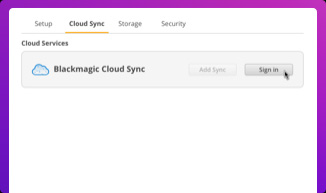
Make sure your Blackmagic Cloud Store is connected to the internet. Enter your Blackmagic Cloud ID account details, so the Cloud Store can gain access to allow sync.
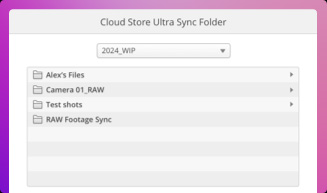
Next you need to set the sync folders. That tells the Blackmagic Cloud Store where to sync its files to the Blackmagic Cloud. You can also have multiple sync folders!
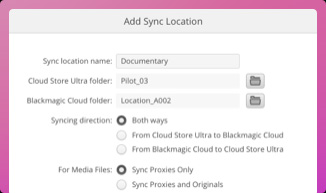
Now set the sync direction. One direction is good when you have local files you want to share, but not enough room for everyone’s files. Both directions means everyone gets the same set of files.

With support for Blackmagic Cloud, you can use Blackmagic Cloud Stores to share media files globally. That’s important when working with large datasets or massive digital film and video files. Editing requires access to media dozens of times a second, so internet connections can be too slow to handle it. Plus the internet has too much latency to access large files remotely. However, using the internet to sync media to local storage totally eliminates delays and latency. That's because everyone has a local copy of the files on their network. With Blackmagic Cloud Store, you get constant media file sync, even if your computer is turned off!
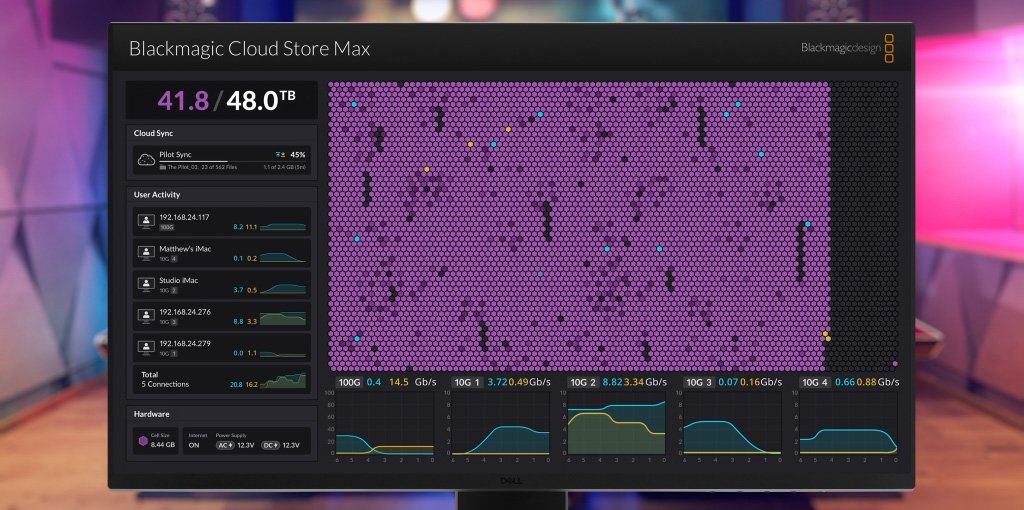

The most exciting feature is the live HDMI monitoring output! The Blackmagic Cloud Store Max and Ultra models also have an SDI monitoring output! Simply connect a monitor to get a live status screen! The storage map shows a graphic representation of the memory core in real time with reads and writes shown dynamically. It’s fun to watch! There are also graphs that show data transfers on the Ethernet connections. The main space indicator shows you the capacity of the memory core and the current usage. Plus you can even add a custom name to the store! The status of the media sync to the Blackmagic Cloud website is also shown. Errors are shown as well, including power supply status.
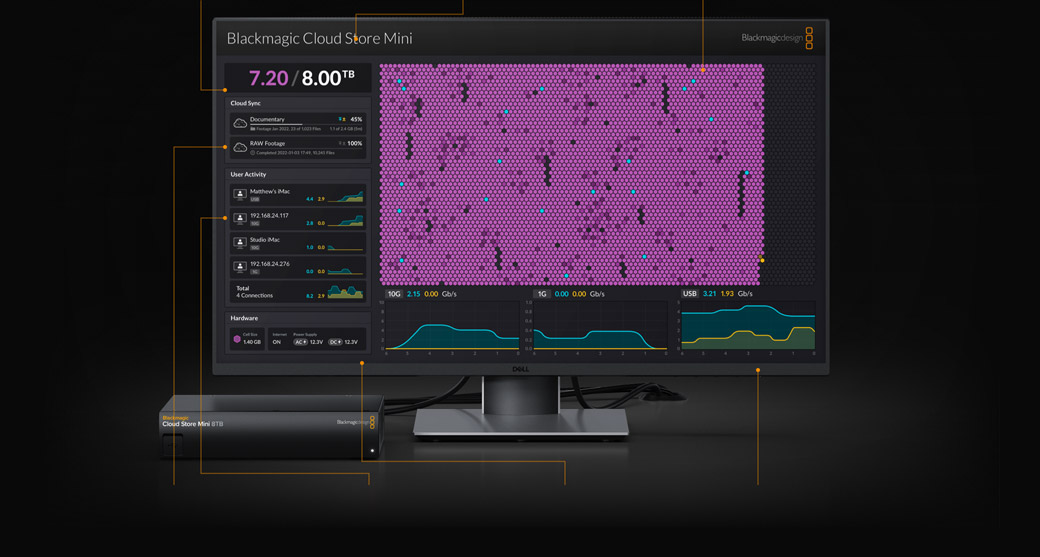
On the top left you can see the storage capacity indicator. The number on the left is the space used and the number on the right is the total memory capacity of Blackmagic Cloud Store.
You can give a custom name to the Blackmagic Cloud Store so you can identify it on the monitor display and the utility software. To change the name, just use the Blackmagic Cloud Store utility!
The storage map display shows a view of the memory core. The memory is divided into segments with reads in cyan and writes in orange. With lots of connected users, the display gets exciting to watch!
The cloud sync status shows each sync folder as well as transfers to and from the Blackmagic Cloud. When new files appear in any sync folder, you can see the transfer status as they sync!
You can see each of the connected users and the data transfers for each. However, this list will move down if you have more cloud sync folders as the sync folder status is more important!
The bottom left is the hardware status. This includes the power status for the AC and DC power supplies. Plus if there are any internal service issues, they will be displayed here.
The lower part of the display has the data transfer speed graphs. It shows recent read and write speeds for each of the Ethernet connections. It’s great for diagnosing Ethernet speeds on each port!
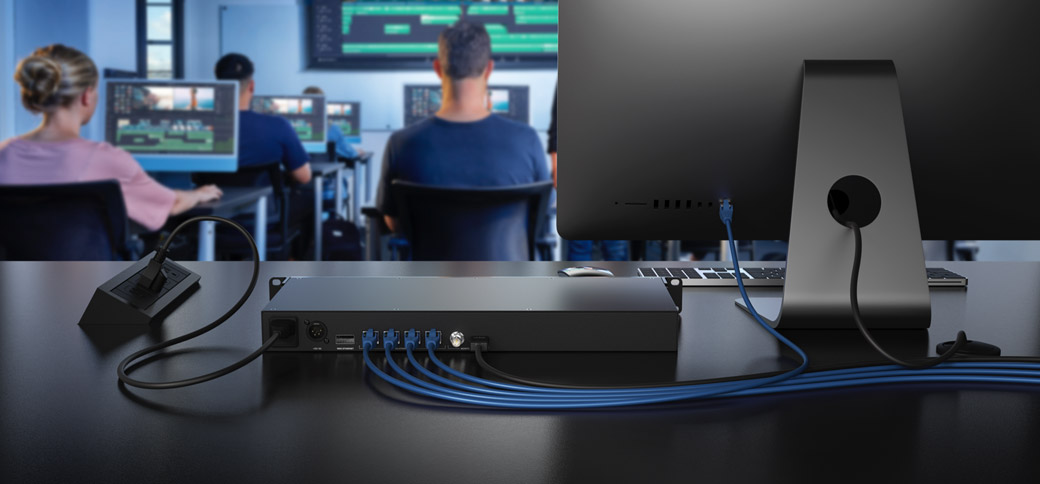
The Blackmagic Cloud Store Mini and Max models have fast 10G Ethernet ports, which are found on faster workstation computers. On the Blackmagic Cloud Store Max, you get 4 independent 10G Ethernet ports that can all sustain maximum 10G data speeds even when all 4 ports are connected to separate computers and used at the same time. With 10G Ethernet, you get 10 times the speed of regular Ethernet. Plus most computers can be upgraded to add 10G Ethernet. The internal parallel flash storage and data pipelines are so fast, each 10G Ethernet port will run to its maximum capacity. Even when connected to an Ethernet switch with dozens of users accessing files at the same time.

The Blackmagic Cloud Store Max and Ultra models feature 100G Ethernet for high data transfer speeds. The Max model has 1 x 100G Ethernet and 4 x 10G Ethernet ports, all sharing access to storage as a single network. The Blackmagic Cloud Store Ultra model is dramatically faster, with two separate 100G Ethernet ports operating as two separate networks. You can record via one 100G port from HyperDeck ISO Recorder 100G while the other port serves dozens of local edit workstations! Each 100G Ethernet port can never interfere with the other 100G Ethernet port! Plus you can break out each 100G Ethernet port by adding a Blackmagic Ethernet Switch 360P to get 16 separate 10G Ethernet connections.
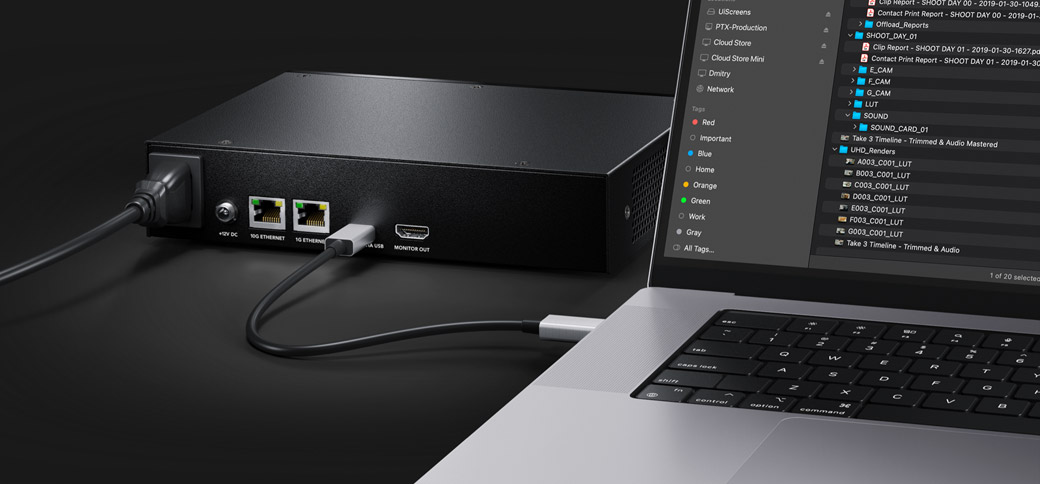
Modern laptop computers are so thin, they often don't even have an Ethernet connection! That means you need an adapter to connect to an Ethernet network. These adapters are annoying and make it harder to just plug your computer into the storage to access a file. The Blackmagic Cloud Store Mini and Max models have an internal USB-C to Ethernet adapter built in and you can access files simply by plugging your computer into the USB-C port. Plus USB-C cables are much nicer than stiff Ethernet cables! Once you connect the Cloud Store's USB-C to your computer, you will have direct Ethernet access to the storage! That means you can just plug in to quickly grab files when you need them urgently!
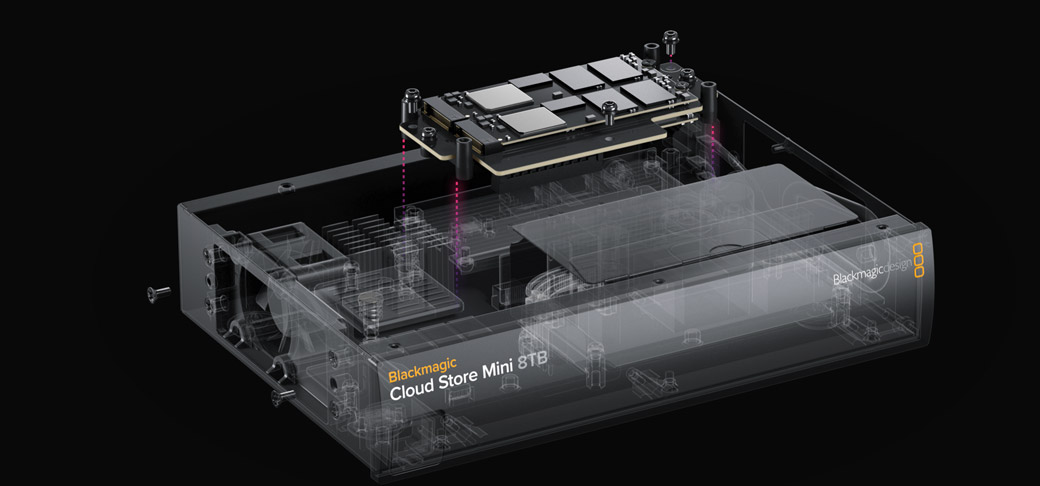
Blackmagic Cloud Store is easy to repair by any qualified maintenance engineer. The design is based on a single PCB that attaches to the M.2 memory cards and power supply. This means the flash memory cards can be easily replaced. Plus Blackmagic Cloud Store runs Blackmagic OS so it applies wear leveling, so each M.2 card won't see excessive data writes. You can also see any problems in the software utility and HDMI monitor output.

One of the big advantages of the Blackmagic Cloud Store is its private storage that you fully control. There are no subscriptions to sign up for. There are no monthly license fees. There is no tracking of your usage or data. You don't need to use a paid, cloud based web service to maintain the storage settings because Blackmagic Cloud Store includes a free software utility that runs on Mac and Windows. That means you can run a private network, totally disconnected from the internet. This is critical for many security standards where computer networks cannot be connected to the external internet. With Blackmagic Cloud Store, you get performance, portability, and total freedom.

When you need to change settings, you can use the Blackmagic Cloud Store utility that's available on Mac and Windows. By default, the Blackmagic Cloud Store is set to DHCP, so you can connect it to your network and start transferring files. You don't even need an IT tech to get started! However, the Blackmagic Cloud Store Utility also opens up a whole range of settings you can customize, including the ability to add custom logins and passwords for each user, plus you can enable file download via FTP or web browsers. You can also update network settings and add security certificates. The utility is where you set up sync to the Blackmagic Cloud website.

With 100G Ethernet ports, the Blackmagic Cloud Store Ultra model is perfectly designed to work with HyperDeck ISO Recorder 100G for live production. That's a powerful combination as HyperDeck ISO Recorder 100G can record 8 cameras all at the same time! Files are recorded in broadcast quality ProRes for very high quality. Once you have recorded separate ISO cameras, you can edit new programming, or get live action replay with DaVinci Resolve! Even as the files are recording, DaVinci Resolve can still edit the media! Only Blackmagic Cloud Store Ultra is designed for this use as one 100G port connects to the HyperDeck, while the other can connect to a network switch and editing workstations.
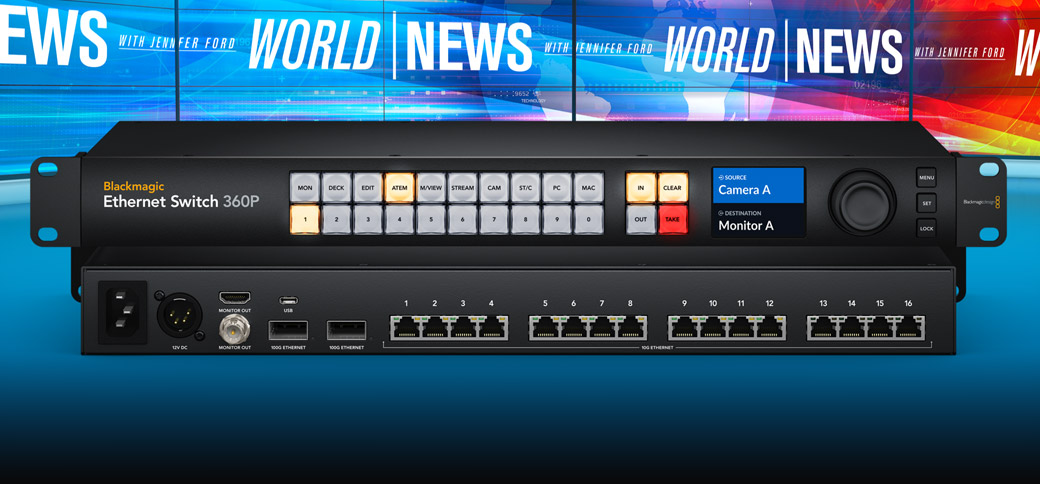
The Blackmagic Ethernet Switch 360P is the first Ethernet switch designed for the film and television industry! It has extremely high performance plus low latency. All the Ethernet connections are on the rear, which means the cables are neater, hidden from users and more secure. You get 16 fast 10G Ethernet ports and 2 high speed 100G Ethernet QSFP sockets for copper cables or optical fiber modules. Plus there’s a router panel built into the front so it can also be used to build small portable 2110 IP systems using a familiar video routing user interface. Users won't even know they're routing SMPTE-2110! It's a simple plug and play solution with everything needed for television work!

DaVinci Resolve has powerful live action replay features! Adding a Blackmagic Cloud Store lets you combine HyperDeck recorders, DaVinci workstations and remote cameras for an amazing live action replay system! Then the new multi source viewer allows you to browse media visually, as clips with matching timecode are displayed in a multi-view. That's perfect when shots are arriving in real time from remote cameras. New "on air" controls use a key channel to enable a downstream keyer in a switcher, so a single button can automate the play out to air. You can even add an auto stinger! Blackmagic Cloud Store has been designed to perfectly support DaVinci Resolve for live sports and replay!